





Collect your assumptions
Work with income and expenses in the same budget.
Budget tool
Plan revenue, costs and cash flow in one place, alongside your projects, sales and strategy, so the numbers are at hand when you make financial decisions.



Value and benefits
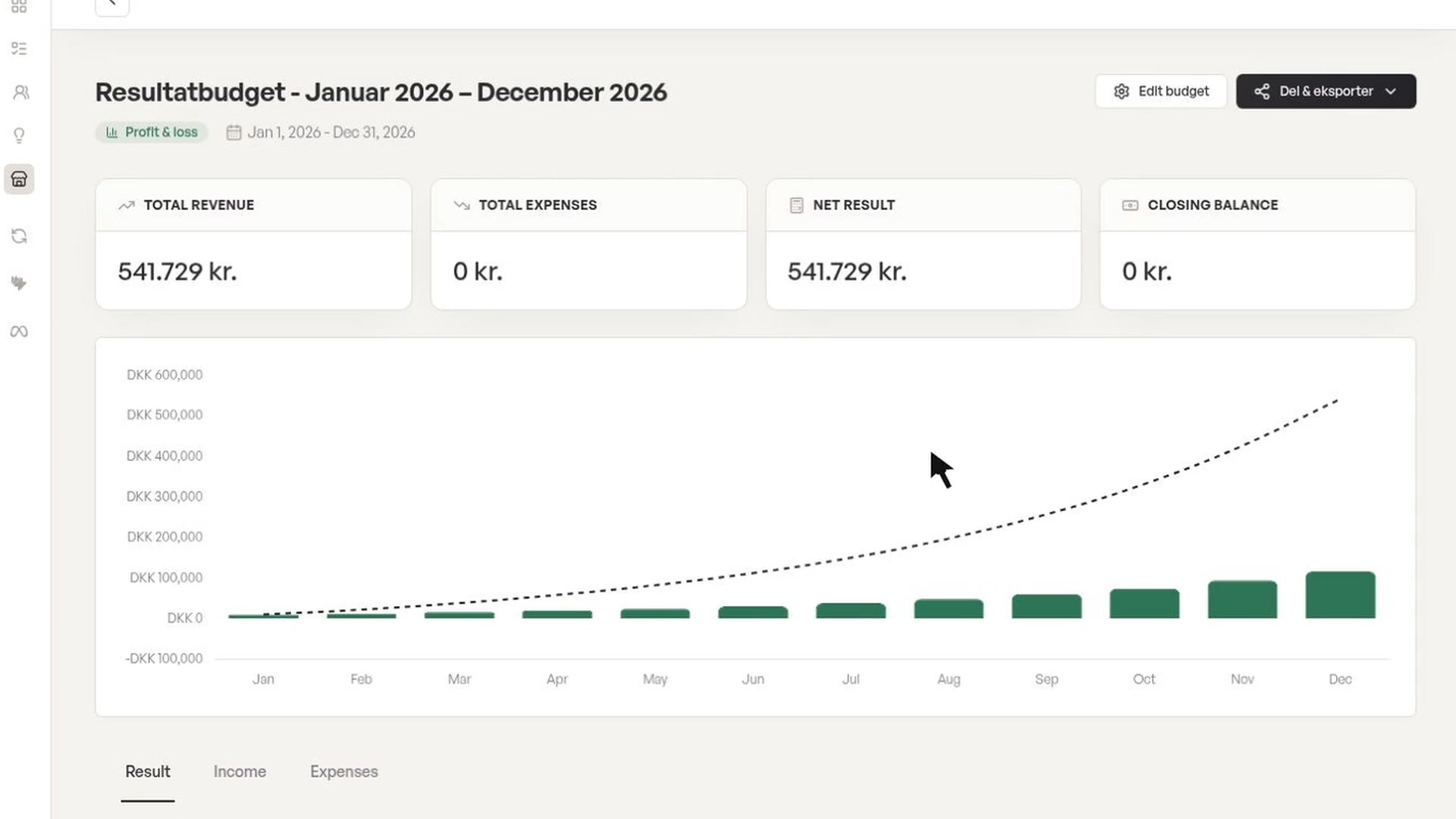
Foundbase’s budget tool brings planned income and expenses together, so you can work on budgets, cash flow and runway. Adjust the figures to your assumptions and see your finances alongside the rest of your work.
Work with income and expenses in the same budget.
See how your cash position is expected to develop, based on the figures you enter.
Update budget entries when plans or assumptions change.
Review planned income and expenses, and compare them with accounting entries when a relevant integration is connected.
From need to action
A new hire or a late payment changes your assumptions. Add the entries to a budget, adjust amounts and periods, and use the overview as the basis for your next decision.
How it works
An example of how the work can fit together. Your team chooses the tools, owners and sequence.
Your tools
Foundbase is an AI-powered platform where you pick the tools that suit your work. Start with CRM and tasks, for example, and add budgeting, contracts or strategy when you need them. Each tool has its own visual workspace.
Features and integrations depend on your plan and access.View plans
Features and uses
Integrations
Choose the connections you need from the Foundbase integration catalog. Each integration page explains which data and actions it supports and what the setup involves.
The budget uses your recorded figures and assumptions. Accounting data requires a supported integration; the budget tool is not a standalone bookkeeping system.
Explore integrationsAI assistant
Ask the assistant to find information or help with a supported action in your workspace. Then open the task, contact or tool when you want to go through the details. The assistant stays within your connections and permissions.
See it in action
Open the interactive demo and explore the tools at your own pace. Everything in it is fictional sample data.
“I have been looking for the right functional and user-friendly tool that can help with everything from project management, financial management, sales work, etc. The answer to this is Foundbase.”
Jakob Junker JeppesenOwner, Junker ConsultingGetting started
Step 1
Create a workspace and start with the tools you need for one specific task.
Step 2
Add contacts, tasks or a budget. Connect the integrations you need to work with data from other systems.
Step 3
Invite colleagues with the roles they need. Assign the first task and get going together.
Access and collaboration
Access to data and actions follows each person’s membership and permissions in your workspace.
View plans and accessRead how Foundbase handles your information and which terms apply to your account.
Read the privacy policyGet in touch with questions about setup or day-to-day use. The pricing page shows the support included in each plan.
Contact FoundbaseFurther reading
FAQ
Can’t find the answer? Email support@foundbase.io
Foundbase’s budget tool brings planned income and expenses together, so you can work on budgets, cash flow and runway. Adjust the figures to your assumptions and see your finances alongside the rest of your work.
Yes. Foundbase is an AI-powered platform with visual tools for CRM, tasks, budgeting, contracts, strategy and more. You decide which tools to use. Access to features and integrations depends on your plan and permissions.
The assistant can find information and help with supported actions in your workspace, such as tasks, contacts and follow-ups. It works with the data, connections and permissions you have access to, and you can always carry on in the visual tools.
The budget uses your recorded figures and assumptions. Accounting data requires a supported integration; the budget tool is not a standalone bookkeeping system.
Choose based on the features you need. The pricing page lists the current plans, user limits and included features. Automations and some integrations may require a higher plan.
Get started
Create a free account and pick the tools you want to start with, or explore the demo with sample data.
Explore a workspace with sample data right away, or book a call and we'll show you the assistant and what Foundbase can do for you.



Meet the team behind Foundbase
We're based in Odense